Atmos
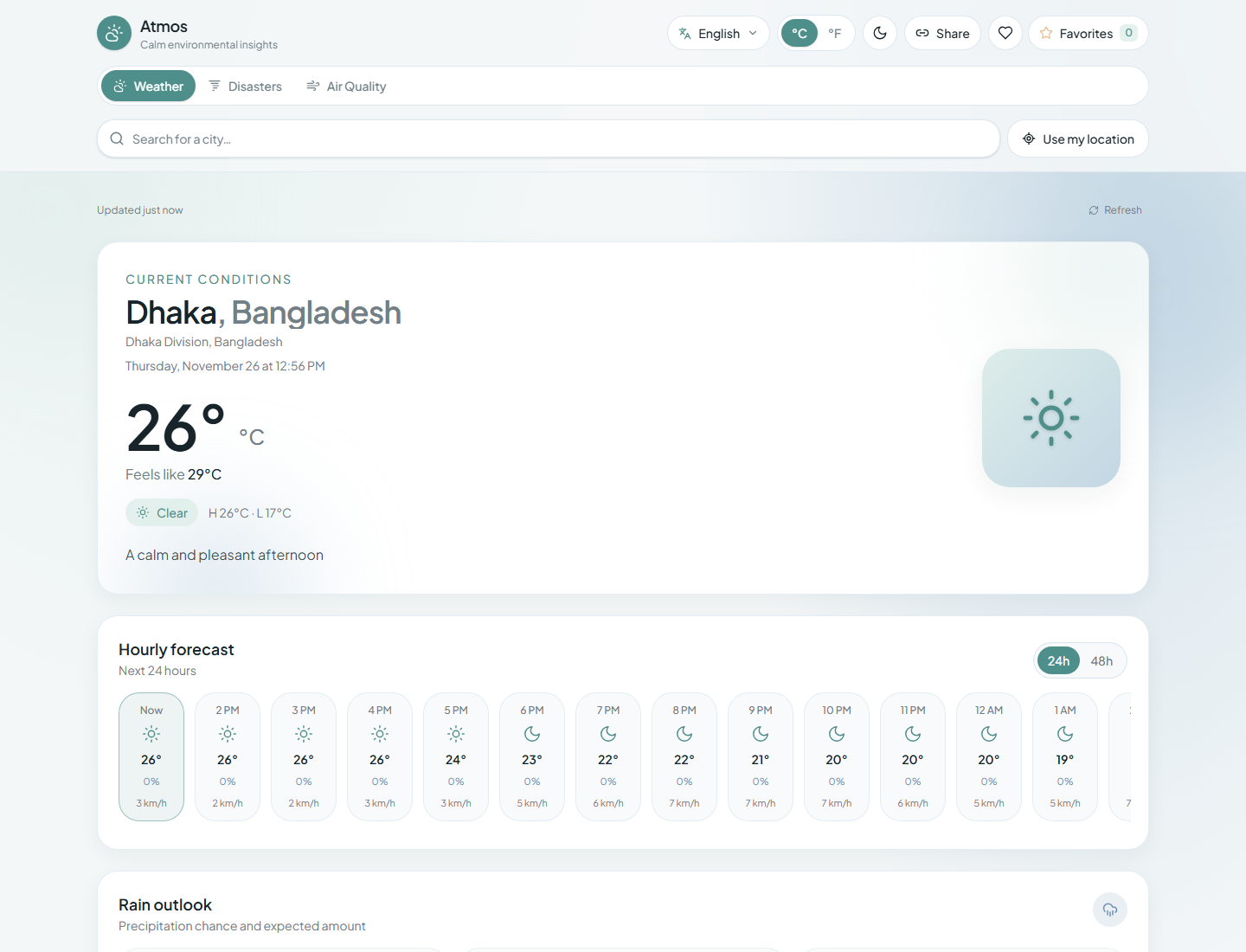
Atmos is a calm weather forecast app — current conditions, an hourly forecast, and tabs for disasters and air quality.
Project Overview
Atmos is a weather app with a quiet interface. I built it in Next.js and shipped it on Vercel at weather-atmos.vercel.app. The first screen shows current conditions for a city, then the next 24 or 48 hours. Weather, Disasters, and Air Quality sit in one bar above a city search.
Objective
Make a forecast easy to read at a glance. A visitor should find a city, see the temperature and conditions, and switch between weather, disasters, and air quality without a crowded dashboard.
Approach
The header carries language, Celsius or Fahrenheit, share, and favorites. Search accepts a city name or the user’s location. Current conditions show the place, the local time, temperature, feels-like, high and low, and a short summary. The hourly forecast is a scrollable strip with a 24-hour and 48-hour toggle.
Deliverables
Current conditions
The first view after a city is chosen
- City, local time, and temperature
- Feels-like, conditions, and the day’s high and low
- A short summary of the weather
Forecast and modes
More than a single temperature
- Hourly forecast for 24 or 48 hours
- Weather, Disasters, and Air Quality tabs
- City search and use-my-location
Preferences
Controls that stay out of the forecast
- English and other languages
- Celsius and Fahrenheit
- Share and saved favorites
Outcome
Atmos is live at weather-atmos.vercel.app. The app opens on current conditions and an hourly forecast, with disasters and air quality one tab away.