Omni Library
Omni Library is a calm place to find a book — search by title, author, or ISBN, then browse categories, languages, and free reads.
Project Overview
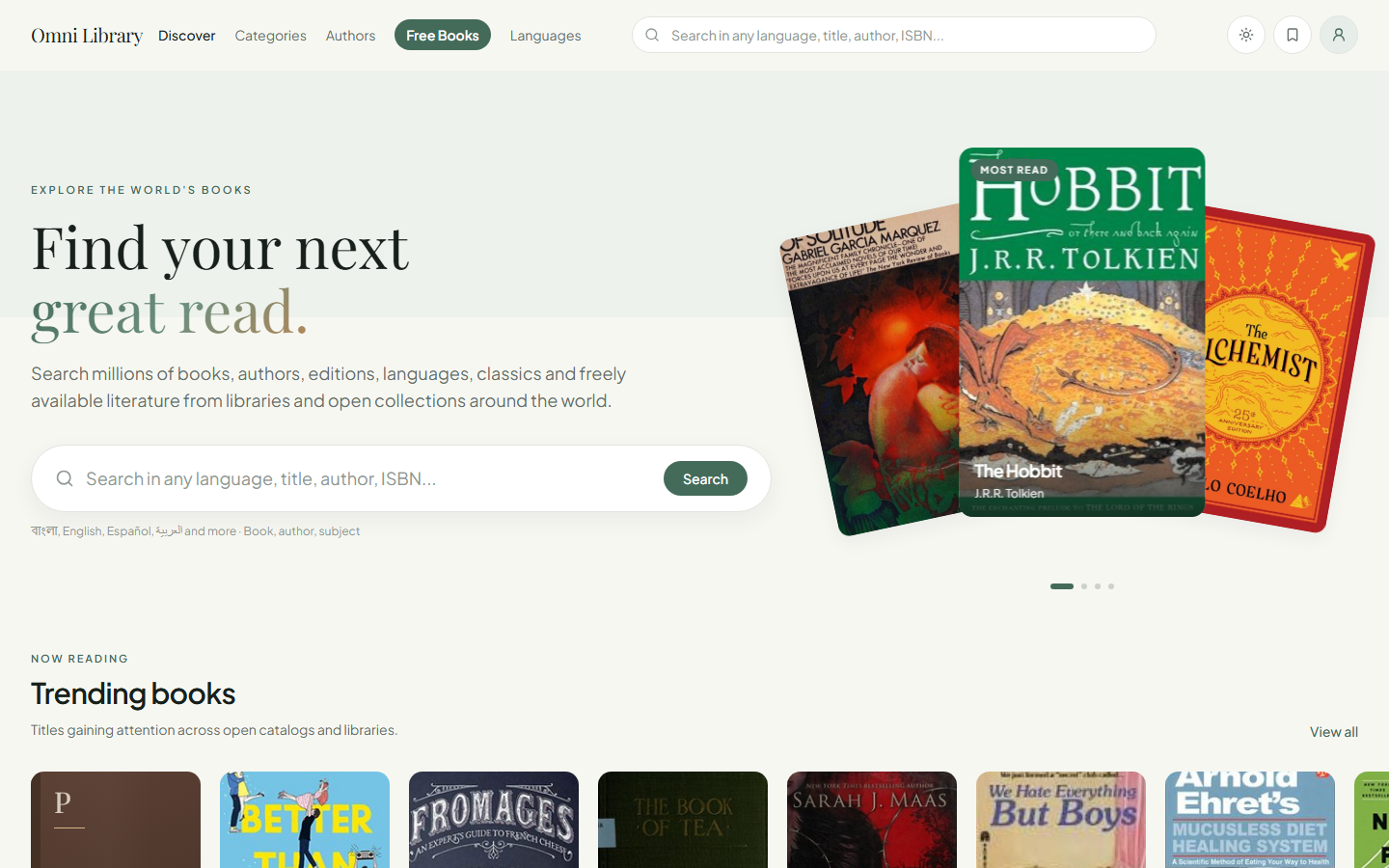
Omni Library helps readers search millions of books, editions, and languages, including literature that is free to read. I built the app in Next.js and shipped it on Vercel at omni-library.vercel.app. The homepage opens with a search and a short stack of covers, then trending titles, categories, languages, authors, and classics.
Objective
Make a large catalog feel quiet. A reader should search in any language, browse a category or language, and see which books can be read free without a noisy storefront.
Approach
The navigation covers Discover, Categories, Authors, Free Books, and Languages, with search in the header. The hero invites a search by language, title, author, or ISBN. Below that, the page groups the catalog: categories such as Fiction and History, languages from English and Bengali to Arabic and Hindi, trending books, popular authors, timeless classics, and a free-to-read shelf. Catalog data is drawn from open libraries, including Open Library, Google Books, Project Gutenberg, and the Internet Archive.
Deliverables
Search and discovery
The first way into the catalog
- Search by language, title, author, or ISBN
- Discover, Categories, Authors, Free Books, and Languages
- A hero that leads with the next read
Catalog shelves
Ways to browse without a query
- Categories from fiction to biography
- Browse by language
- Trending books, popular authors, and classics
Free to read
Public-domain and freely available books
- A free-books section and a Read Free label
- Classics ready to open
- Saved books for titles the reader wants to keep
Outcome
Omni Library is live at omni-library.vercel.app. Readers can search the catalog, browse by category or language, and open books that are free to read.